How to Create a QR Code — Links, Wi-Fi, and Contact Cards
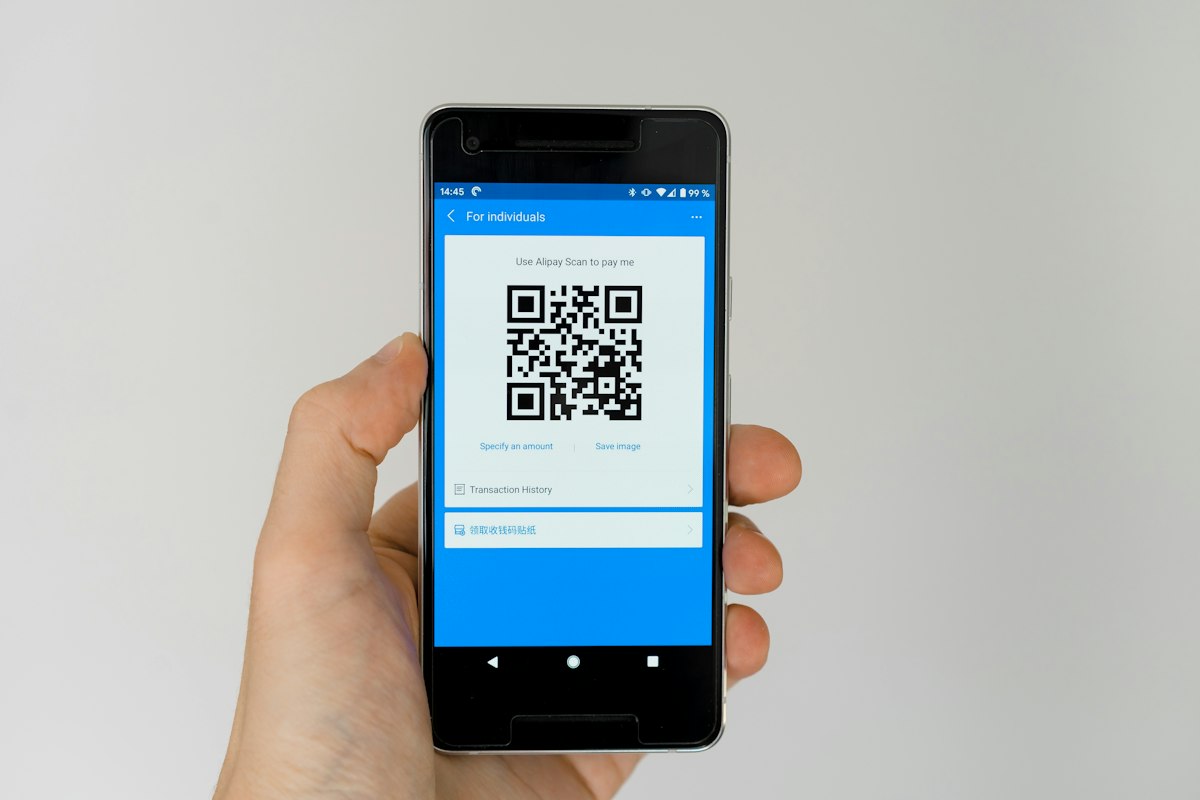
QR codes are everywhere now — on menus, posters, business cards, product packaging, and Wi-Fi signs in cafés. They're a genuinely useful bridge between the physical and digital worlds. This guide covers how to create one that works reliably, which type to use for your goal, and how to make one for free without signing up for a service that quietly tracks every scan.
What a QR code really is
A QR code is just a visual way of encoding a short piece of data — usually a URL, but it can also hold plain text, Wi-Fi credentials, an email address, a phone number, or a full contact card. A phone's camera reads the pattern, decodes the data, and offers the appropriate action: open a link, connect to Wi-Fi, save a contact.
The key thing to understand is the difference between static and dynamic codes:
- Static QR codes encode the data directly in the pattern. There's no middleman. They never expire, they don't phone home, and they work forever — but the content is fixed once printed.
- Dynamic QR codes encode a link to a service's redirect, which then forwards to your real destination. This lets you change the target later and track scans — but it means every scan goes through a third party, the code stops working if that service shuts down or you stop paying, and your visitors are being tracked.
For the vast majority of uses — a menu, a Wi-Fi sign, a business card, a link to your site — a static code is the better choice: private, permanent, and free. Our QR Code Generator creates static codes, so what you make keeps working with no strings attached.
Choosing the right type
Match the QR type to what you want to happen when someone scans it:
- Link: the workhorse. Sends people to a web page — your site, a menu, a booking form, a social profile.
- Text: shows a plain message. Good for instructions, a code, or a short note.
- Wi-Fi: lets guests connect to your network by scanning, with no fiddly password typing. Perfect for cafés, offices, and rentals.
- Email: opens a pre-addressed (and optionally pre-filled) email. Handy for support or enquiries.
- Phone: starts a call to a number. Useful on flyers and vehicle signage.
- Contact card (vCard): saves your name, company, phone, and email straight into someone's contacts. Ideal for business cards and networking.
How to create a QR code
- Open the QR Code Generator.
- Pick the type — Link, Wi-Fi, Contact, and so on.
- Fill in the details (for Wi-Fi, that's your network name, password, and security type).
- Customise the colours and error-correction level if you like.
- Download a PNG for quick use or an SVG for print.
It generates the code in your browser, so your data isn't sent anywhere, and there's no watermark or expiry.
PNG or SVG — which download should you pick?
- PNG is a fixed-resolution image, great for screens, documents, and small prints. Choose a generous size so it stays crisp.
- SVG is a vector, meaning it scales to any size with zero loss of sharpness. Use it whenever the code will be printed large — posters, banners, packaging, signage.
If you're sending the code to a printer or designer, give them the SVG.
Design tips so it actually scans
A surprising number of QR codes in the wild don't scan reliably. Avoid that:
- Keep strong contrast. Dark code on a light background is the safe default. If you use colour, keep the code much darker than its background. Light-on-dark can work but test it thoroughly.
- Preserve the quiet zone. The empty margin around the code isn't decoration — scanners need it. Don't crop right up to the edge.
- Don't shrink it too far. As a rule of thumb, aim for at least 2–3 cm on print, more if people will scan from a distance (a poster on a wall, a sign across a room).
- Raise the error correction for busy placements. Higher error correction lets the code still scan even if part of it is dirty, curved, or slightly obscured — useful on packaging and outdoor signage.
- Always test before you print a thousand. Scan it with a couple of different phones first.
Where QR codes earn their keep
- Restaurants and cafés: menus and Wi-Fi access without printing passwords.
- Business cards: a vCard code that saves your details instantly.
- Events: links to schedules, tickets, or feedback forms.
- Products and packaging: manuals, registration, or "how to use" videos.
- Print marketing: turn a poster or flyer into a tappable link to your site.
Common questions
Do these QR codes expire? No. They're static, meaning the data is encoded directly in the pattern. There's no redirect service to shut down and no subscription to lapse, so they keep working indefinitely.
Can I track how many times my code is scanned? Static codes don't track scans — that's a feature of dynamic codes, which route every scan through a third party. If you specifically need analytics, point the code at a page you control and measure visits there, so you keep the tracking (and the data) yourself.
Can I change where the code points after printing it? Not with a static code, because the destination is baked in. If you expect the target to change, encode a stable URL you control (like a page on your own site) and update what lives at that URL instead.
What size should I print it? At least 2–3 cm for close-up scanning, and larger for posters or signs people scan from a distance. Always keep the empty margin around the code intact.
Why won't my code scan? Usual culprits: not enough contrast, a cropped quiet zone, or it's printed too small. Test with a couple of phones before committing to a large print run.
PNG or SVG? PNG for screens and small prints; SVG for anything printed large, since it scales without losing sharpness.
The bottom line
Making a QR code should be free, private, and permanent. Skip the services that track your scans and expire your codes behind a subscription — create a static code for any link, network, or contact in seconds with our QR Code Generator, and download it as a crisp PNG or scalable SVG.
Prime Webkit builds free tools like this, and develops the web and mobile apps behind smart physical-to-digital experiences. If a QR code is the front door to something bigger you're planning, our app development team can build the rest.
Have an app idea worth building?
From prototype to store-ready release — we ship cross-platform apps.